PepSimple
Android setup guide
Add PepSimple to your Home Screen
Follow the visual guide below, then open PepSimple from your Home Screen like an app.
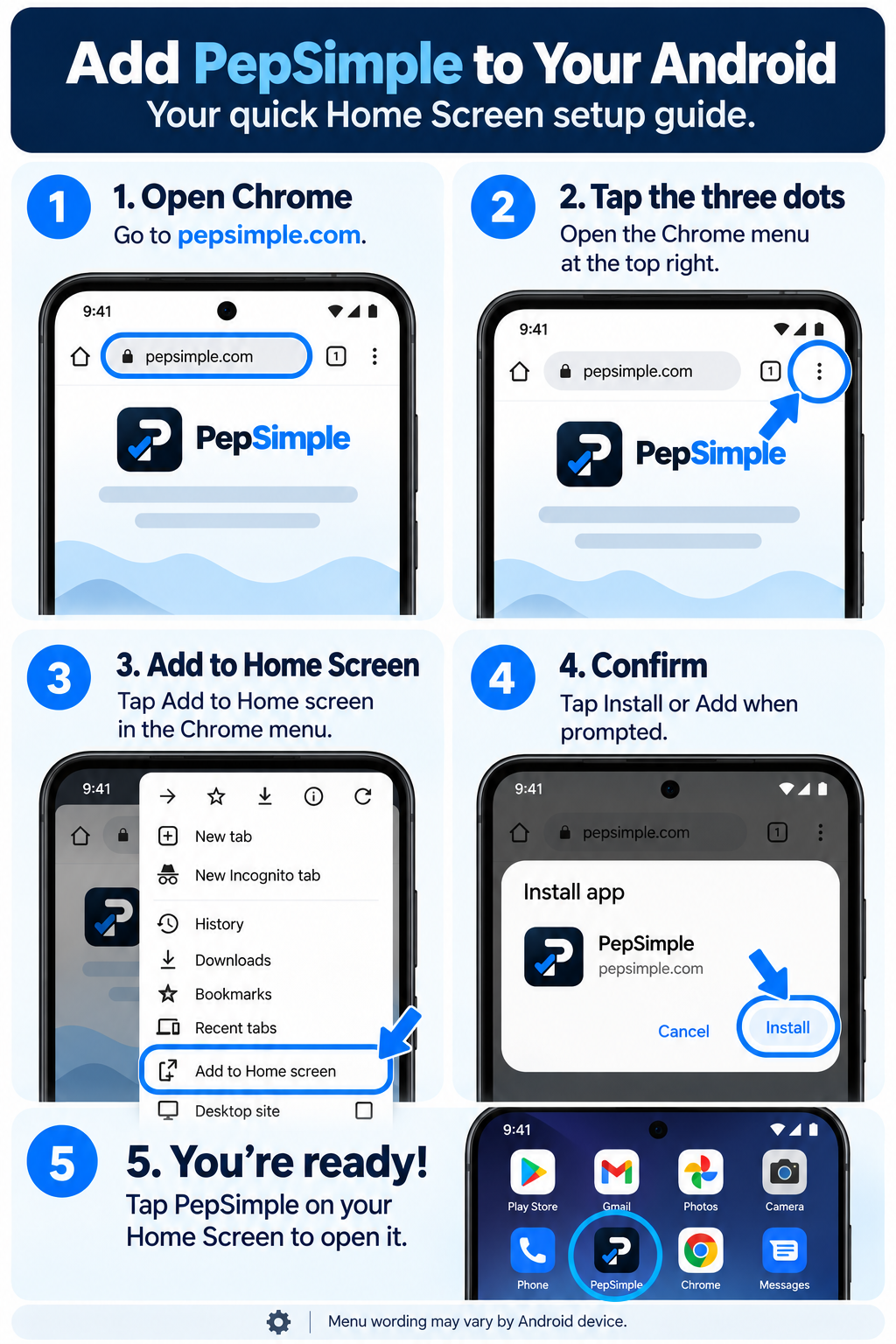
- Open PepSimple in Chrome.
- Tap the three-dot menu.
- Choose Add to Home screen or Install app.
- Confirm the name PepSimple.
- Tap Add or Install.
- Open PepSimple from the new Home Screen icon.
If Chrome offers “Install app,” use that option. Otherwise “Add to Home screen” works too.