PepSimple
iPhone setup guide
Add PepSimple to your Home Screen
Follow the visual guide below, then open PepSimple from your Home Screen like an app.
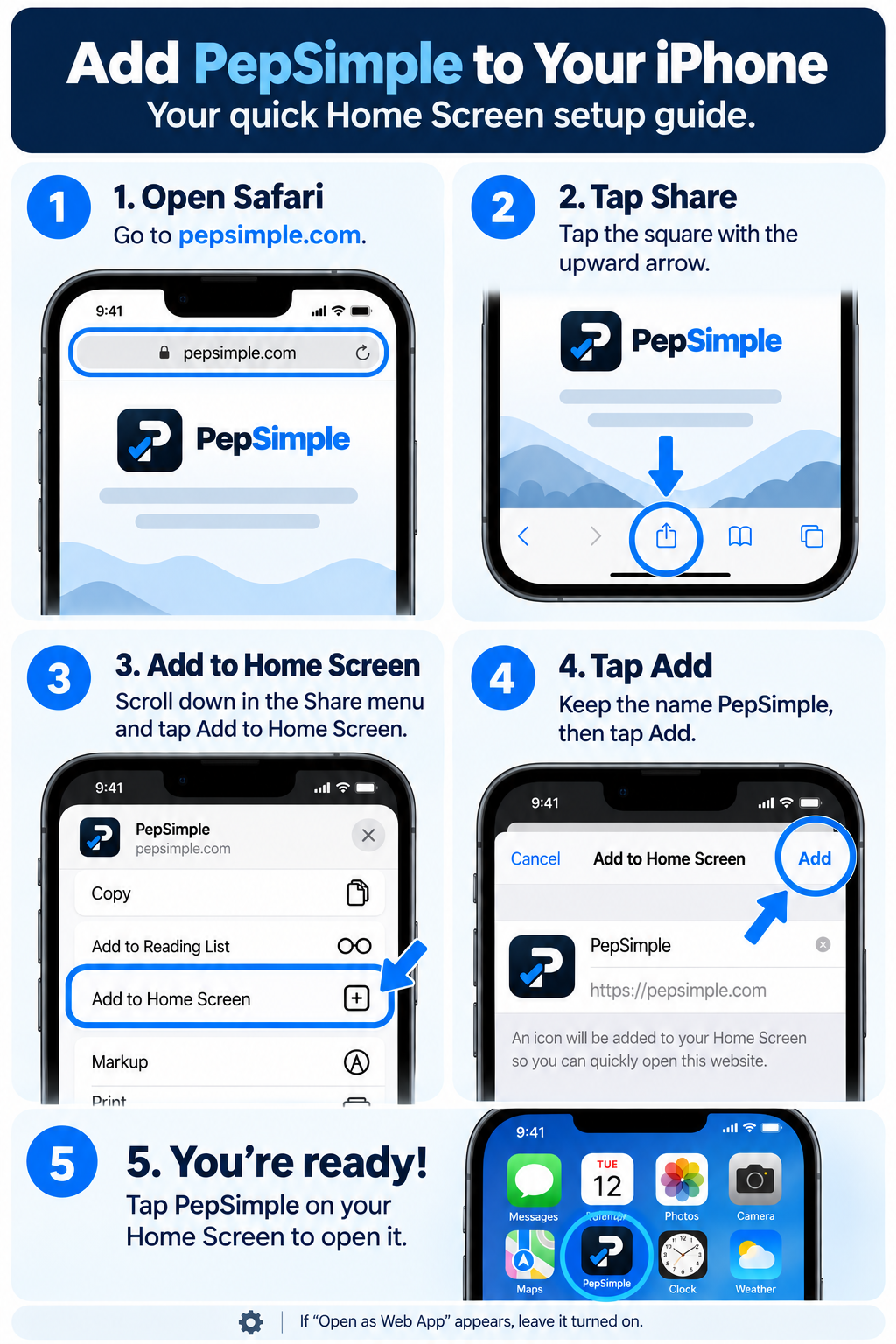
- Open PepSimple in Safari.
- Tap the Share button (square with the up arrow).
- Tap Add to Home Screen.
- Keep the name PepSimple. If shown, leave Open as Web App enabled.
- Tap Add.
- Open PepSimple from the new Home Screen icon.
If the link opens inside an email or messaging app, copy it into Safari first.